


Supposedly you already have an up and running marketing / sales funnel that generates (hopefully) a plethora of incoming leads to be processed by your sales people. Generally considered as “worm”, incoming leads tend to be of all sorts of quality ranging from those that landed by accident (which is something your marketing department has to work against) to those who are actually ready to become your clients. To prioritise and sort those leads we use the so called lead qualification process.
I know there’s plenty of great articles out there covering this topic but here I’ll share our own experience and results to make things more actionable for you.
Theory
Before we begin – I have a confession to make. I’m a hopeless sneakerhead. Guilty as charged. Not that I have an admirable collection nor do I usually overspend coping a rare item. It’s mostly a guilty pleasure for me, meaning that I can’t remember the time when I had less than 30 pairs carefully distributed in a dedicated footlocker.
So when it came down to develop a lead scoring system for our digital communications agency – I had to come up with something simple yet creative. And… sneaker related, obviously.
There’s an expression in the sneaker culture relative to the decision making process – cop or drop. As Urban Dictionary describes it – Cop or Drop is used when you are debating whether to cop(get) something or drop(not get) something. It’s catchy, simple and easy to remember so I took this expression and made it into an abbreviation:
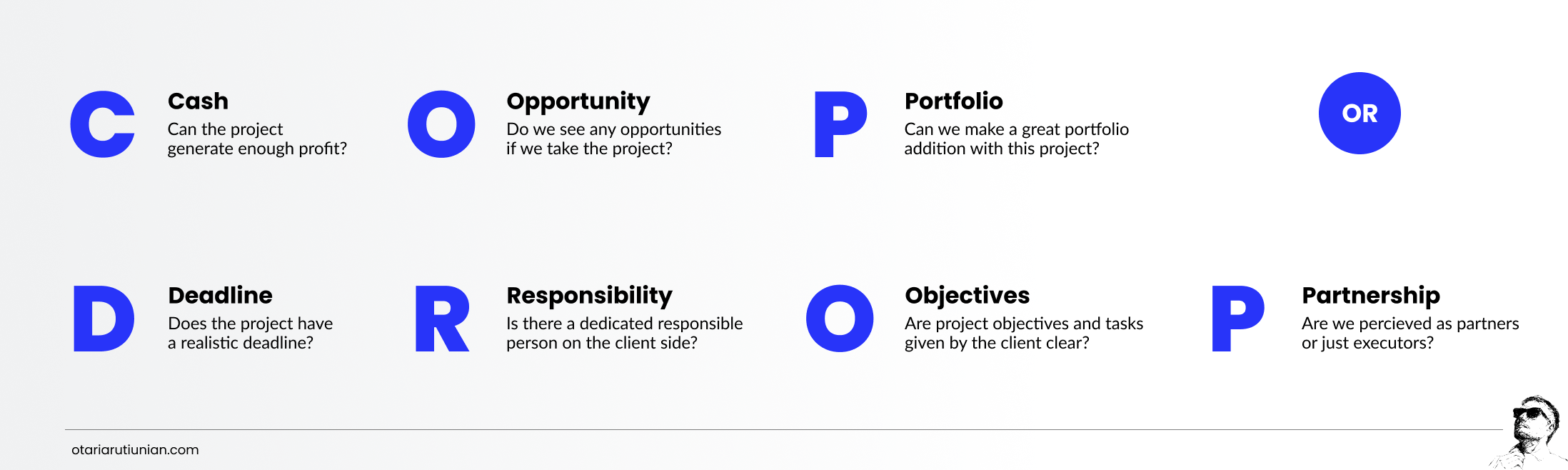
As simple as it may look – this framework allows us to filter-out projects that are either not suitable to our pipeline or might cause trouble in the future.
Enough theory. Let’s put it to practice.
Practice
In order to help our sales-people we developed a small tool based on Google Sheets. Sometimes you need to give a price range to the client right away (especially when there is not much of details or the project is more or less standard to you). This spreadsheet allows for making the calculation less intuitive and more based on this particular client. This means that you can add risks to the calculation based on the framework above.
For this example we will be reviewing a client that approached us with a website development task.
The step-by-step process looks like this:
- Make a copy of this spreadsheet
- Rename it to client’s project name
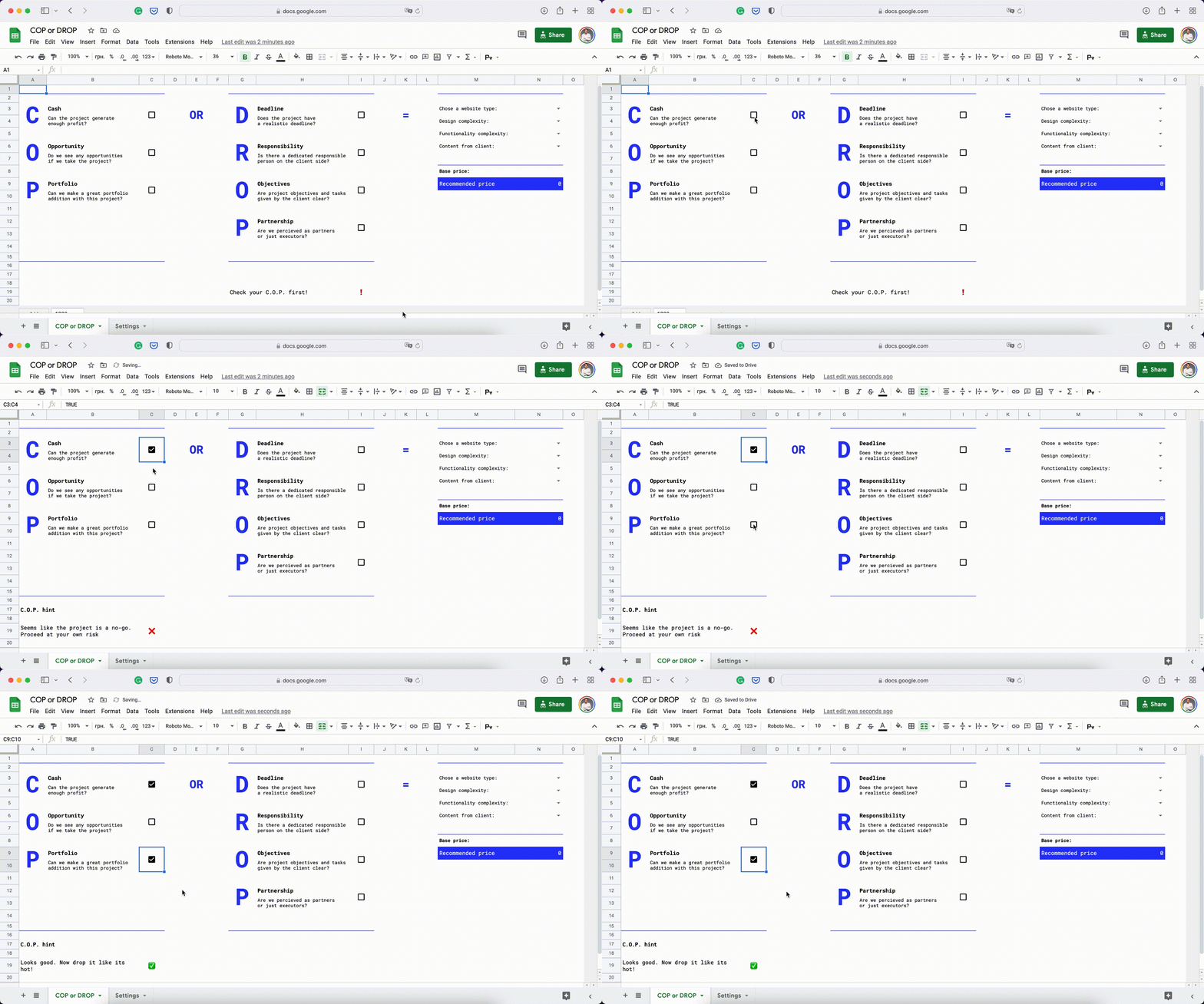
- Check the boxes in the COP section (we’ve integrated some useful hints to make decision process easier). In our case – we can generate enough profit and receive a great portfolio addition along the way.
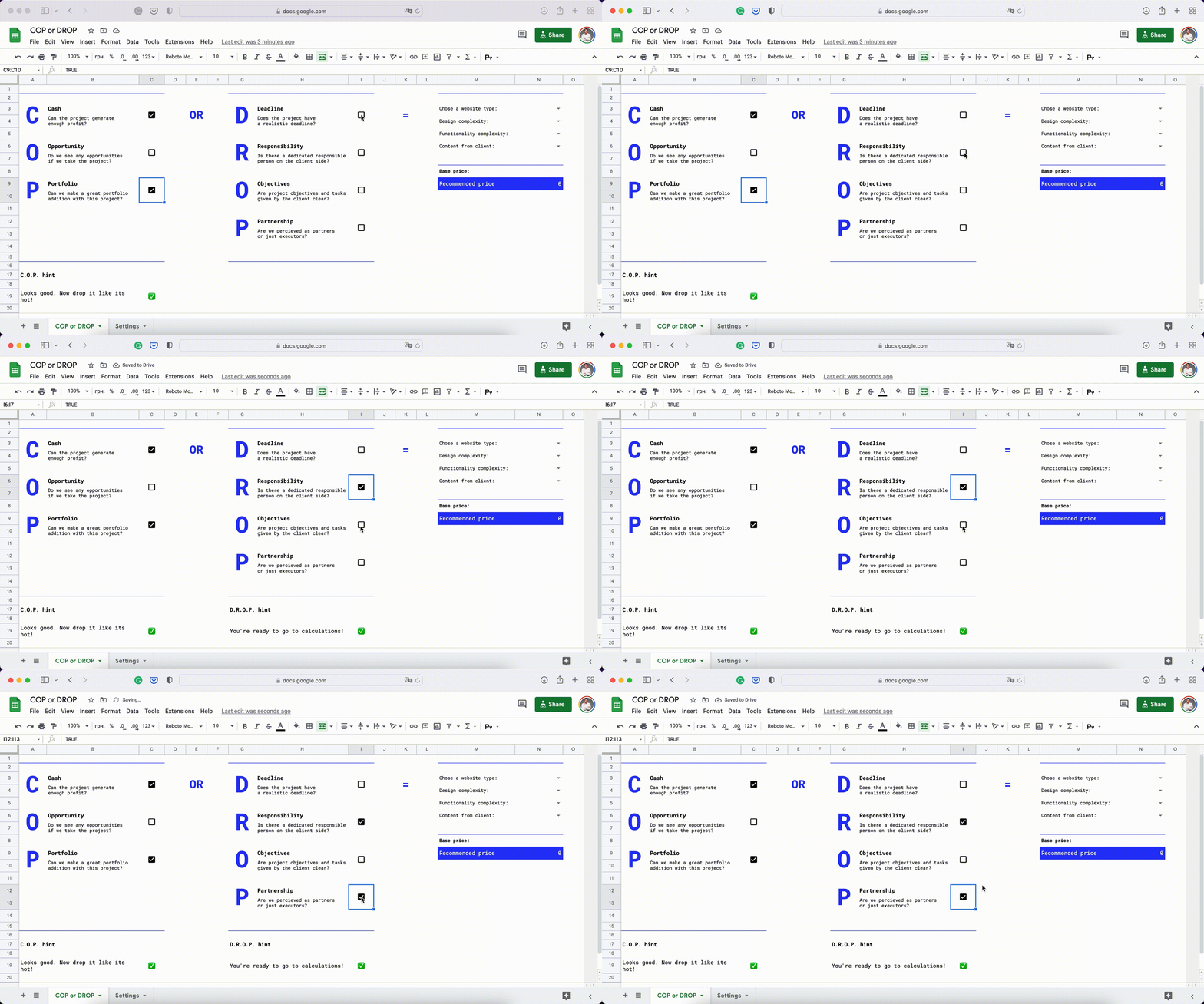
- Check the boxes in the DROP section (also accompanied by useful hints)
- Choose the type of website our client is requesting, design and functionality complexity and whether the client is giving us the content or not.
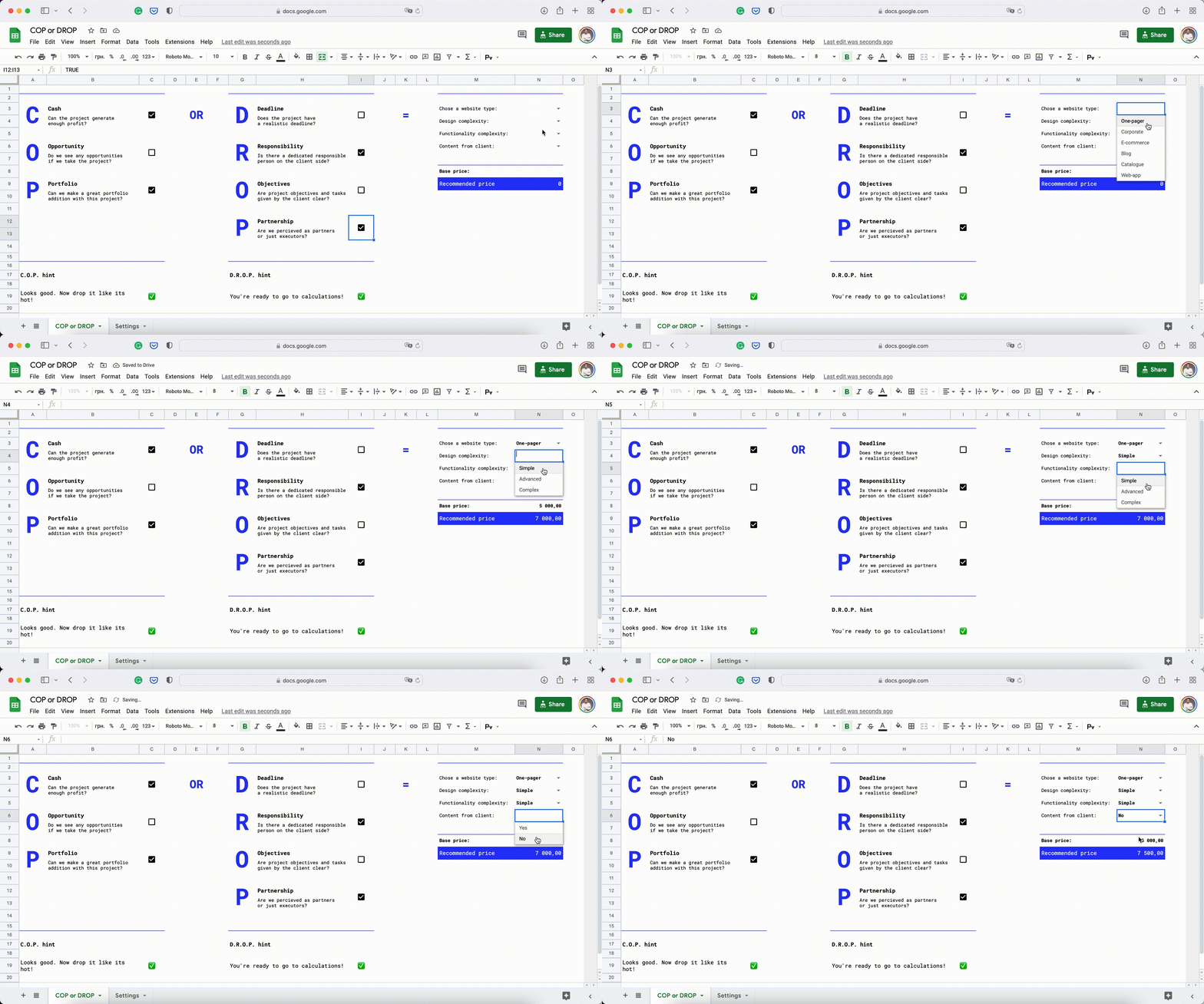
You’ll see how the Recommended price cell changes depending on your choices. There’s a formula in this cell calculating the recommended price that includes risk assessment. You can change the logic depending one your sales and production pipeline directly in the formula or by changing the metrics on the Settings sheet.
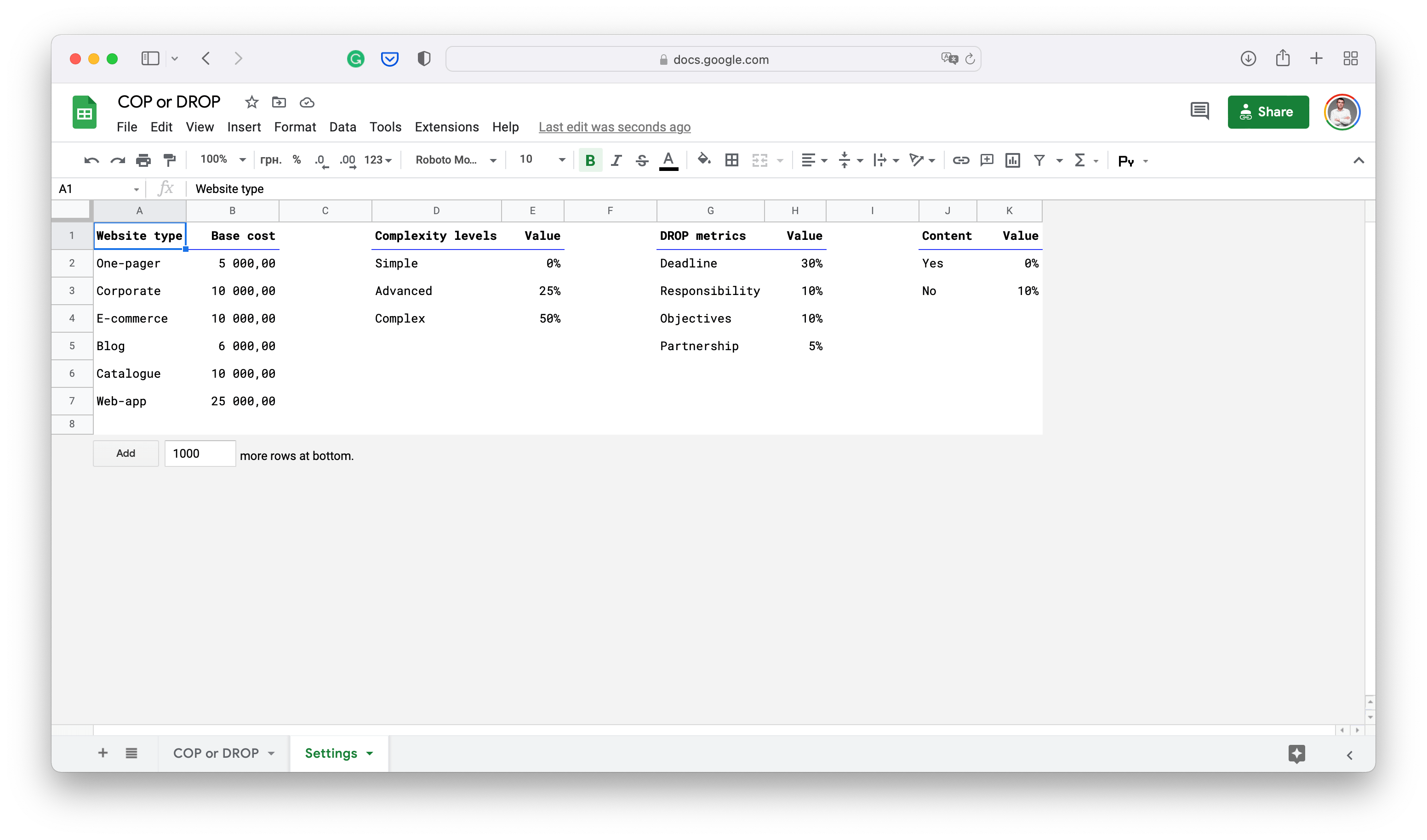
We basically change the pricing depending on the potential risks in the project. Not the nicest solution but it allows us to make a quick assessment and give extremely fast response to any potential client.
You can make your own adjustment to the system. It’s free to use. I’ll be glad to see your thoughts on the topic in the comments below.